
Use this path when classroom selection starts with Excellence K1000.
Teaching-Smart Unit
OpenVox Teaching-Smart Unit organizes classroom terminal options into clear product paths for education deployments. Compare K1000, K1060, K1080, and K1090 to identify the right terminal family for the project.
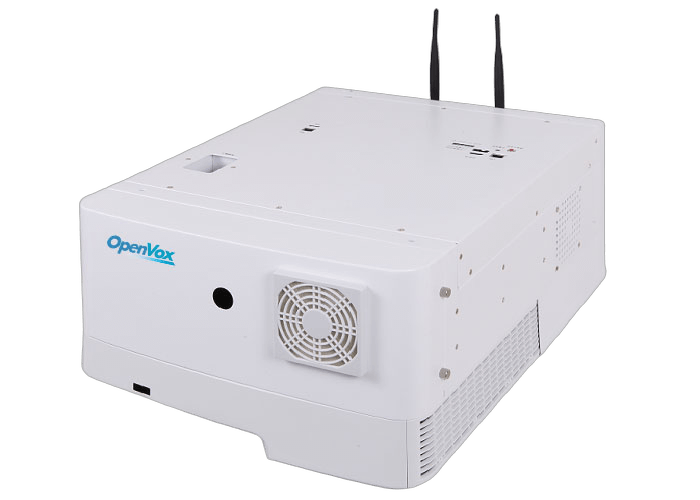
Choose the Teaching-Smart Unit terminal path for the classroom deployment.
Excellence K1000 is the Teaching-Smart Unit terminal path for projects that start from the K1000 family.
- Terminal Path
- Excellence
- Model
- K1000
- Category Role
- Classroom terminal
- Classroom Use
- Excellence terminal family
Map terminal path, classroom context, purchase path, and product review before selection.
Teaching-Smart Unit selection starts with the terminal family name, then aligns classroom fit and product details before purchase decisions.

Use this path when the classroom terminal direction points to Classic K1060.
Use this path when the classroom terminal direction points to Simple K1080.
Use this path when the classroom terminal direction points to Upgraded K1090.
Match each terminal path to the classroom deployment role.
Start with the terminal family name, then align classroom use, purchase path, and product details.
Excellence K1000
Terminal path for classroom deployments that start from the Excellence K1000 family.
- Excellence path
- K1000 family
- Classroom terminal selection
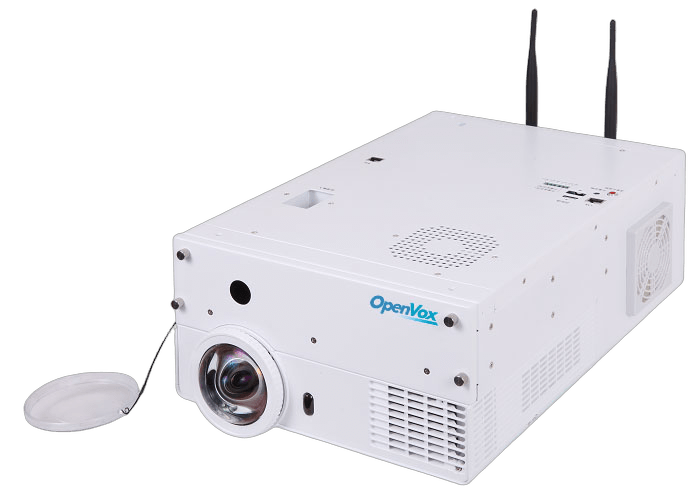
Classic K1060
Terminal path for classroom deployments that start from the Classic K1060 family.
- Classic path
- K1060 family
- Classroom terminal selection
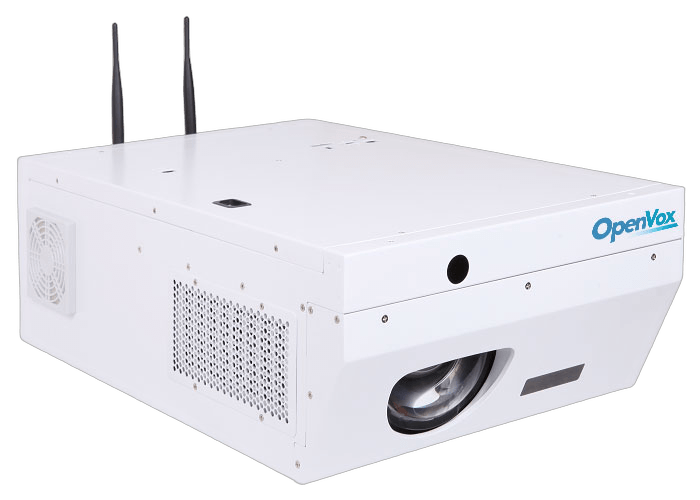
Simple K1080
Terminal path for classroom deployments that start from the Simple K1080 family.
- Simple path
- K1080 family
- Classroom terminal selection
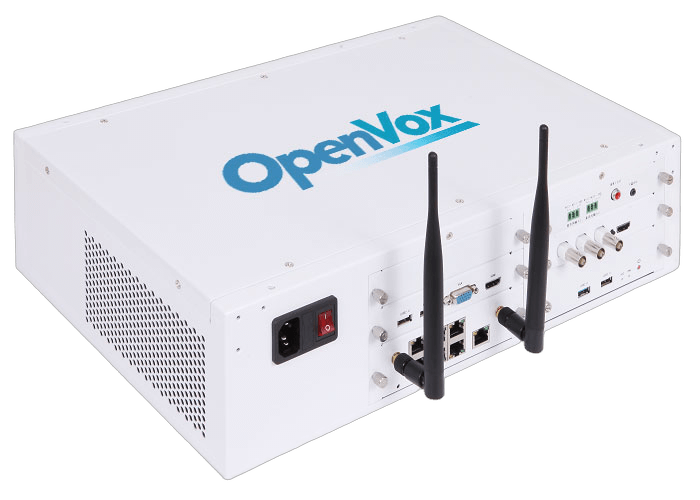
Upgraded K1090
Terminal path for classroom deployments that start from the Upgraded K1090 family.
- Upgraded path
- K1090 family
- Classroom terminal selection
Teaching-Smart Unit capabilities for classroom terminal selection.
The category helps education teams orient the current terminal paths without adding unsupported classroom software or hardware claims.
4Terminal paths
Terminal Family Selection
Compare the current Teaching-Smart Unit terminal paths before selecting the product family.
- Use the page to identify the correct Teaching-Smart Unit terminal family before detailed selection.
- The current category model keeps the four preserved terminal paths visible.
Proof chips
- K1000 / K1060 / K1080 / K1090
- Four current paths
EDUEducation context
Classroom Deployment Orientation
Use the category page to orient education deployments around classroom terminal selection.
- Position the product family around classroom terminal selection and education deployments.
- Keep classroom feature details tied to product-level source material.
Proof chips
- Classroom terminal category
- Education deployment context
SKUProduct path
Procurement Path Clarity
Keep K1000, K1060, K1080, and K1090 visible as clear procurement starting points.
- Each terminal path gives education projects a clearer starting point.
- Final hardware details should be aligned before purchase decisions.
Proof chips
- Clear product-family names
- Top-level category orientation
SKUProduct details
Product Detail Alignment
Align final product details with OpenVox before classroom purchase decisions.
- Use OpenVox product guidance when classroom requirements affect the terminal decision.
- This keeps the page useful while keeping detailed specifications tied to product-level material.
Proof chips
- Product detail alignment
- OpenVox product guidance
Key considerations for Teaching-Smart Unit selection.
Map classroom terminal requirements to the current Teaching-Smart Unit product paths before detailed selection.
Terminal family map
- Excellence K1000 for the excellence terminal path
- Classic K1060 for the classic terminal path
- Simple K1080 for the simple terminal path
- Upgraded K1090 for the upgraded terminal path
Classroom deployment fit
- Use the page to orient classroom terminal selection
- Match terminal path to classroom deployment expectations
- Keep category guidance focused on verified terminal family paths
- Align product details before purchase decisions
Project review
- Review classroom environment and terminal path before selection
- Use OpenVox guidance when product details affect the terminal decision
- Keep K1000, K1060, K1080, and K1090 as the current category paths
- Keep feature claims tied to product-level source material
Teaching-Smart Unit Deployment Scenarios
Teaching-Smart Unit pages support education projects that need a clear classroom terminal starting point before detailed product selection.
Deployment pattern
Classroom terminal family selection
This scenario keeps the page focused on product-family orientation instead of unsupported classroom feature claims.
Compare Teaching-Smart Unit terminal paths
Use this matrix to review the published Teaching-Smart Unit hardware and software specification before final product selection.
| Specification | Excellence K1000 | Classic K1060 | Simple K1080 | Upgraded K1090 |
|---|---|---|---|---|
| Core System | ||||
| CPU | Intel Core i3-7100U, 2.40GHz, 2 cores / 4 threads; i5 / i7 optional | |||
| Memory | DDR3 8G | |||
| Storage | 1T HDD + optional SSD | |||
| Network | 100M/1000Mbps Ethernet; MIMO; 802.11b/g/n; up to 30 terminal access | |||
| Classroom Hardware | ||||
| Interactive Module | 850nm infrared light, <= 2-pixel positioning accuracy, 6400 x 4800 resolution | |||
| Projection | 3300lm laser projector, XGA 1024 x 768, 56.4-100 inch projection size | |||
| Cameras | Object display: 2MP IP HD camera; Teacher camera: 1.3MP IP HD, optional 2MP; student camera: 1.3MP IP HD | |||
| Audio | 2 loudspeakers, 2 x 20W; adjustable 5-100m2 pickup range, -30dB sensitivity | |||
| Control And Software | ||||
| Control Box | 2 USB ports, 1 VGA port, 1 MIC port, 1 key, status indicator | |||
| Software / OS | Windows 7 with whiteboard, recording, course management, monitoring, and remote maintenance software | |||
Resources for Teaching-Smart Unit evaluation.
Use these paths to compare terminal families and request classroom product guidance.
Selection
Terminal Comparison
Compare K1000, K1060, K1080, and K1090 as current Teaching-Smart Unit terminal paths.
Compare terminals
Products
Product Path Review
Use the category overview to decide which terminal family should move into detailed selection.
Review paths
Support
Classroom Fit Review
Share classroom context and terminal path requirements so OpenVox can guide the right product family.
Request review
Sales
Project Consultation
Discuss Teaching-Smart Unit terminal selection for education deployment projects.
Contact sales